The short answer
To track leads from SEO, record every enquiry and where it came from. Set up Google Analytics 4 key events for form submissions and phone clicks, link Search Console, use call tracking numbers, tag your Google Business Profile link, and save the source of each lead in your CRM. Then match won jobs back to the search that started them.
Why rankings and clicks are not enough
Many SEO reports stop at rankings, impressions and traffic. Those numbers are useful, but they do not tell you whether SEO is paying for itself. A page can rank first and bring hundreds of visits without producing a single enquiry, while another page with modest traffic quietly brings your best jobs.
Lead tracking answers the questions that matter to a business owner: how many calls and forms came from Google, which pages produced them, what each lead cost, and how much revenue they turned into.
The journey from search to customer
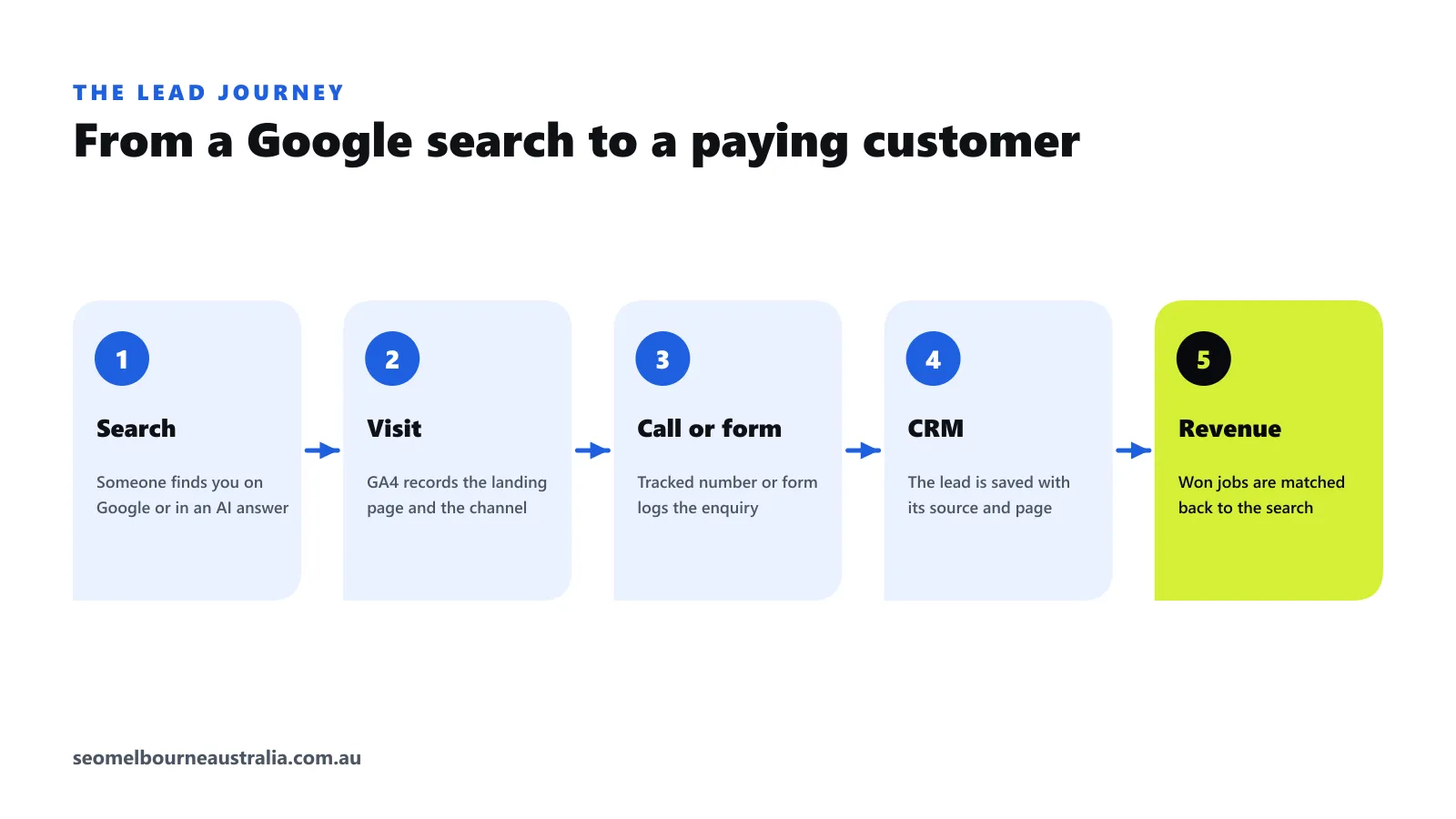
Every SEO lead follows the same path: someone searches, visits a page, calls or fills in a form, becomes a lead in your system, and hopefully becomes a paying customer. Tracking means recording each step so you can connect the revenue at the end to the search at the start.
The four tools you need
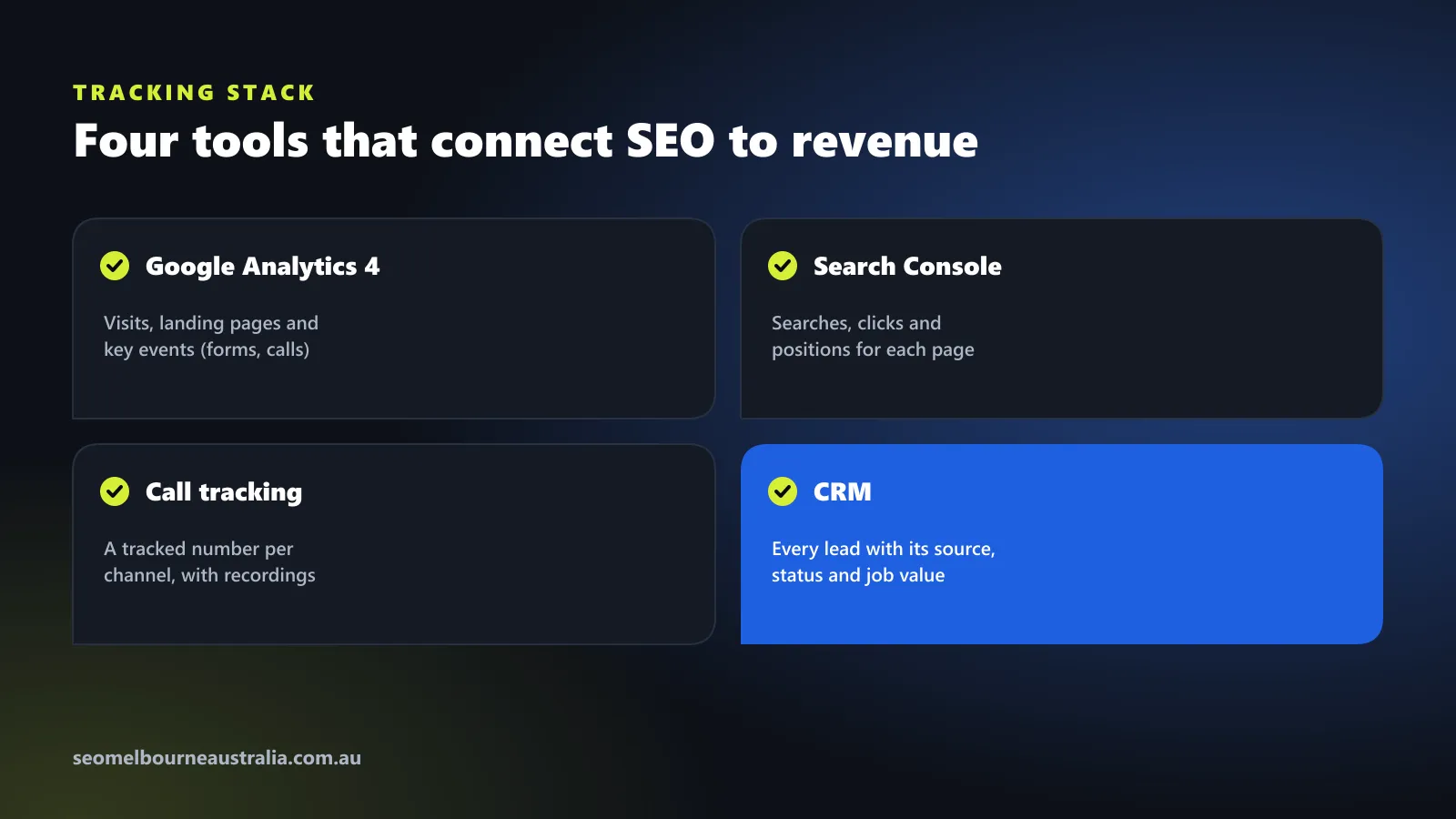
| Tool | What it tells you |
|---|---|
| Google Analytics 4 | Visits, landing pages, channels and key events such as forms and phone clicks |
| Google Search Console | The searches, clicks and positions for each page |
| Call tracking | Which channel and page each phone call came from |
| CRM or lead sheet | Every lead with its source, status and job value |
Step 1: Set up key events in Google Analytics 4
Google Analytics 4 calls important actions “key events” (they were called conversions before 2024). Set up at least these:
- Form submissions. The most reliable method is to send visitors to a thank-you page after a form is sent, and create an event for views of that page. Alternatively, fire a generate_lead event when the form succeeds.
- Phone clicks. Track clicks on any link that starts with tel:. On mobile, that tap is usually a call.
- Email clicks and bookings. Track mailto: clicks and completed online bookings if you take them.
Mark each one as a key event in GA4. You can then see leads by channel in the traffic acquisition report and by page in the landing page report.
Step 2: Link Search Console to GA4
Linking Google Search Console to GA4 lets you see the search queries and positions behind your organic landing pages next to the leads those pages produce. It is free and takes a few minutes in the GA4 admin settings.
Step 3: Track phone calls properly
Clicks on a phone number only capture calls from people browsing your site on a phone. Many customers copy the number, call from a desktop or ring straight from Google Maps.
A call tracking service solves this with dynamic number insertion: visitors from organic search see a different number from visitors from ads or social media, so every call is attributed to the right channel. Most services also record the landing page, and many can send the call to GA4 as an event.
- Keep your main number on your website’s contact details and in directories, so your business details stay consistent everywhere.
- On your Google Business Profile, Google allows a tracking number as the primary phone with your main number as an additional phone.
- If you record calls, tell callers at the start of the call and explain it in your privacy policy.
Step 4: Tag your Google Business Profile link
Visits from your Google Business Profile often show up in GA4 as ordinary organic search. Add tracking parameters to the website link in your profile, for example ?utm_source=google&utm_medium=organic&utm_campaign=gbp, so those visits and the leads they bring are reported separately. It shows how much of your SEO value comes from the map pack.
Step 5: Save the source of every lead in your CRM
When a form is sent, capture the landing page, the referring site and any UTM tags in hidden fields, and pass them to your CRM with the lead. For phone leads, take the source from your call tracking service. Then add the lead’s status and job value as it progresses.
This is the step most businesses skip, and it is the one that turns traffic reports into revenue reports.
Step 6: Match won jobs back to the search
At the end of each month, look at the jobs you won and their sources. Add up the revenue from leads that came from organic search and Google Maps, and compare it with what you spent on SEO. That gives you a cost per lead and a return on spend you can compare with ads and other channels.
What a revenue-focused SEO report shows
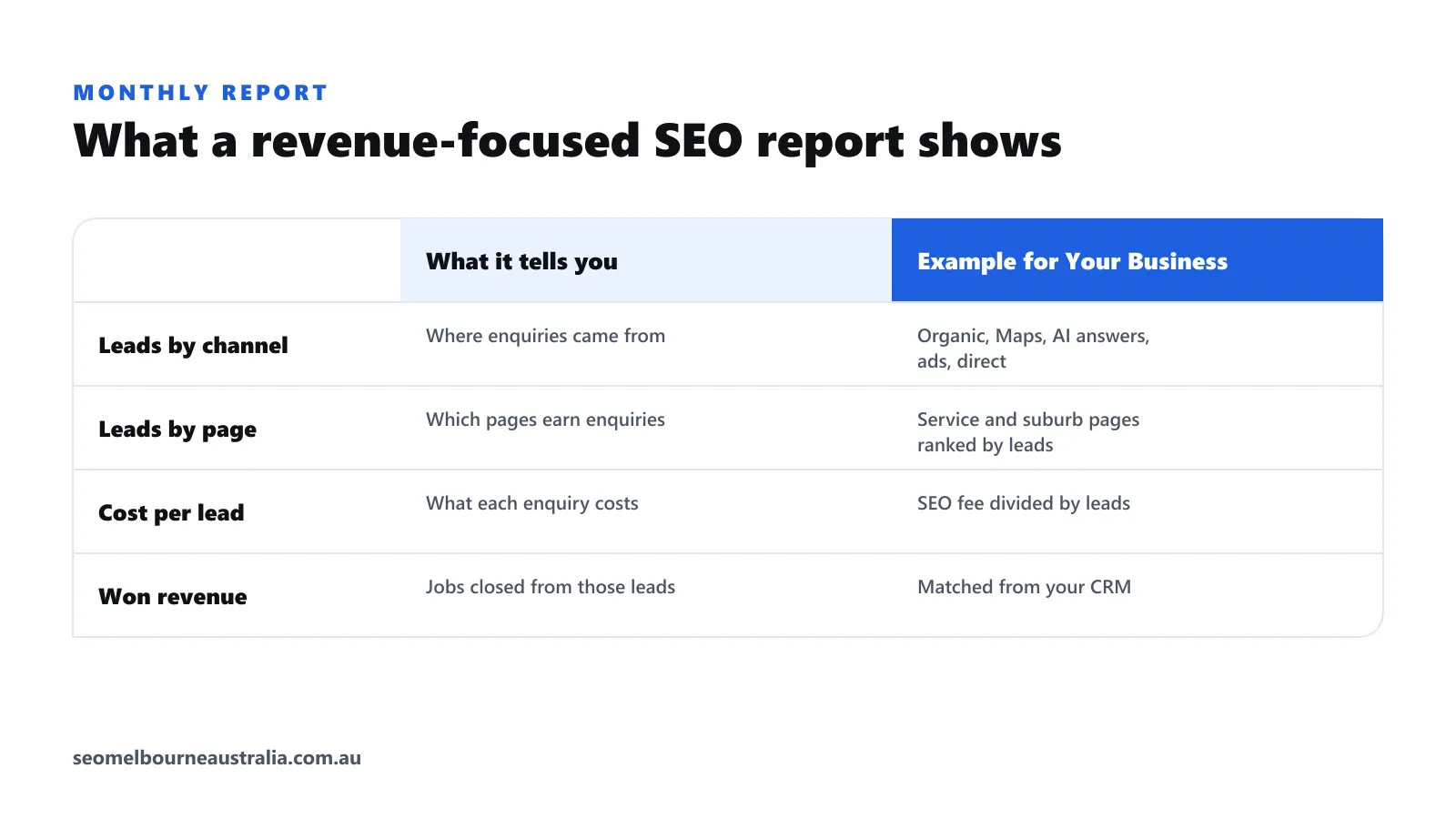
- Leads by channel. Organic search, Google Maps, AI answers, ads and direct.
- Leads by page. Which service and suburb pages produce enquiries, not just traffic.
- Cost per lead. Your SEO fee divided by the leads it produced.
- Won revenue. Jobs closed from those leads, from your CRM.
Rankings and traffic still belong in the report, as leading indicators. They just should not be the headline.
A note on privacy
Australian businesses collecting personal information need to explain what they collect and why. Mention analytics, call tracking, call recording and your CRM in your privacy policy, and only collect what you need to follow up the enquiry.
Leads from AI search
Visits from ChatGPT, Perplexity and similar tools appear in GA4 as referrals from their websites, so keep an eye on them as AI search grows. Our guide to generative engine optimisation covers how to get recommended there, and our local SEO checklist covers tracking from Google Maps.
Want it set up for you?
Every SEO plan we run starts with this tracking in place, so monthly reports show leads and revenue rather than just rankings. See our lead generation service, or get a free SEO audit that includes a review of your current tracking and what it is missing.
Frequently asked questions
How do I track leads from SEO in Google Analytics 4?
Create GA4 events for form submissions (for example the thank-you page view or a generate_lead event) and for clicks on your phone number, then mark them as key events. Your traffic acquisition and landing page reports then show how many leads came from organic search and which pages produced them.
Can I track phone calls from Google search?
Yes. Track clicks on tap-to-call links as GA4 key events, and use a call tracking service that shows a different number to visitors from organic search. Calls to that number are then attributed to SEO, and many services also record which page the caller was on.
Should I use a call tracking number on my Google Business Profile?
Google allows it: use the tracking number as the primary phone and add your main business number as an additional phone, so your details stay consistent. Keep your main number on your website and directories.
What is a good cost per lead for SEO?
It depends on your industry, suburb and job value. Work it out by dividing your monthly SEO cost by the leads it produced, then compare it with your other channels and with what a won job is worth to you.
Do I need a CRM to track SEO leads?
A CRM makes it far easier because it keeps each lead's source, status and value together. Even a shared spreadsheet with source, date, job and value columns is better than nothing for small businesses.

Jack is a Content Strategist at SEO Melbourne Australia. Jack plans the content and campaigns that bring Melbourne businesses calls and enquiries, and writes our guides on search, AI visibility and lead tracking. Meet the team